Parent Portal (Sentral)
The Parent Portal is the easiest way for families to stay connected with what’s happening at Yennora Public School. Through the Sentral app or website, you can quickly check updates, receive notifications and stay informed about your child’s school life.

What you can do on the Parent Portal right now
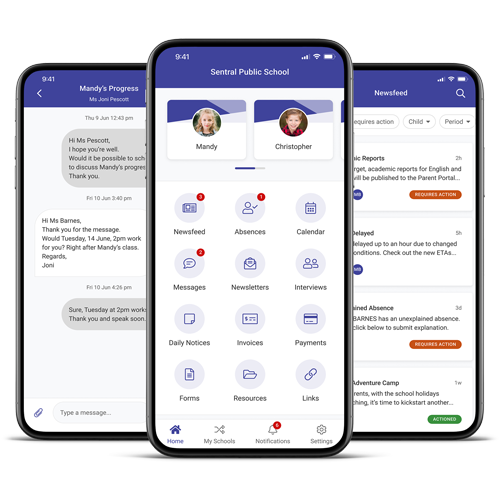
Families can currently use the Sentral Parent Portal to:
- View the school newsfeed for important updates and announcements
- Monitor your child’s attendance
- Send absence explanations quickly and easily through the app
- Explain unjustified absences
- Check the school calendar for upcoming events
- Access quick links, including the school newsletter
- Update your child’s medical details
More features will continue to roll out as the school expands its use of Sentral.
Why the Parent Portal is helpful
The Parent Portal helps families:
- stay informed in real time
- receive important updates through notifications
- reduce the chance of missing notes or reminders
- keep all school communication in one place
- make absence explanations simple and fast
Please make sure notifications are turned on so you never miss an update.

How to Register
- Click here to go to the Yennora Parent Portal
- Create your account using your email.
- Verify your email.
- Wait for your access code sent home with your child.
- Enter the code to link your child to your account.
Each parent/carer receives their own unique access code, please contact the front office for more information.


Online payments
At this stage, all school payments are still made through the front office.
Need help with our parent portal apps?
If you need support with registering, logging in or linking your child, please contact the school office. We’re always here to help.
Community involvement
Discover ways to volunteer and help shape our school community.
Policies and reports
Discover our local school policies, reports and plans.